Data Table
Compare records across shared columns, with sorting when it helps answer a question.
Fieldwork Press
Print inventory
Scroll to compare all columns →
| Format | Location | ||
|---|---|---|---|
| Coastal field guide | Booklet | 240 | Shelf A |
| Forest notes | Booklet | 120 | Shelf A |
| Headland map | Foldout | 85 | Shelf B |
| Tide pool postcard | Card | 480 | Shelf C |
| Workshop invitation | Card | 36 | Shelf C |
5 records · Sorted by title, ascending
Behavior
Keyboard
- Tab
- Reach the filter, sort buttons, and scroll region.
- Enter / Space
- Sort by the focused column; activate again to reverse direction.
- Left / Right
- Scroll horizontally when the table’s scroll region has focus.
Parts
Caption
Names the data being compared.
Headers
Name each column and associate cells with it.
Rows
One record per row.
Sort control
A header button that changes row order.
States
Sorted
An arrow and aria-sort communicate ascending or descending order.
Filtered
Keep headers visible and show an empty message if nothing matches.
Narrow
Keep the table structure inside its own horizontal scroll region.
References
Use it
Figma
Build the data table
- Build aligned header and body rows from the same column widths.
- Create unsorted, ascending, and descending header variants.
- Show a narrow frame with horizontal scrolling and a filtered empty state.
Accessibility
Use native table semantics. Sorting alone does not require an interactive ARIA grid.
- Use scope="col" on column headers and scope="row" on row headers.
- Put a real button inside each sortable header; set aria-sort only on the active header.
- Name a keyboard-focusable scroll region so narrow-screen users can reach every column.
Research notes & sources
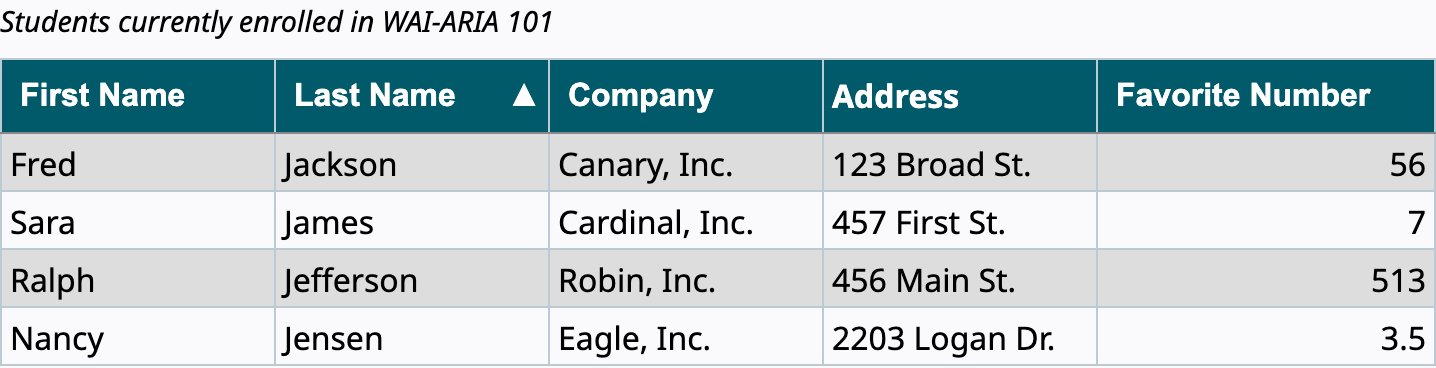
Native table, caption, th, and td; aria-sort on the currently sorted column header.
- Reference image attribution and licensesSource and capture record
- Data table: usageIBM Carbon Design System
- Sortable table exampleW3C WAI-ARIA Authoring Practices
- Tables with one headerW3C WAI