Summary List
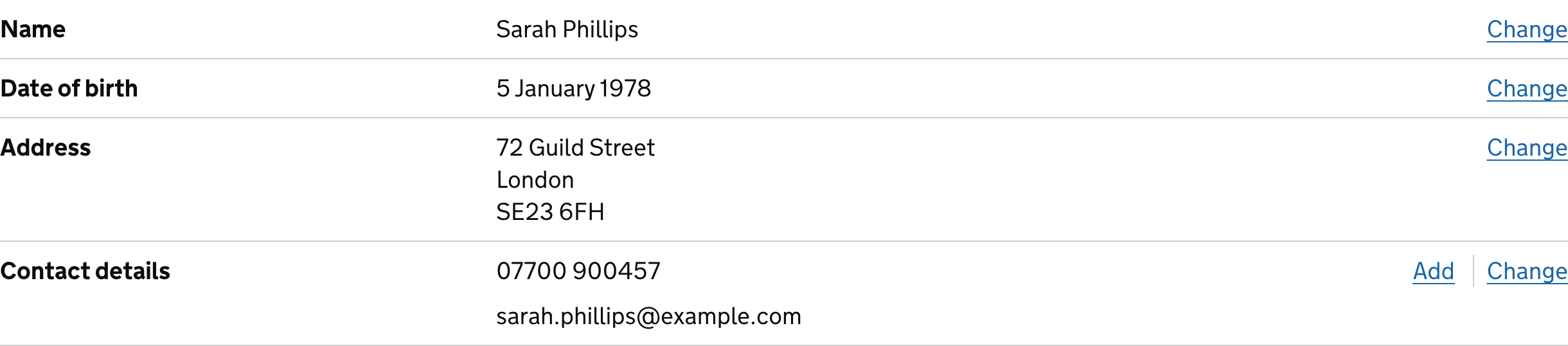
Present the key facts about one record as labelled values.
Fieldwork Press · Booking FP-2048
Your workshop booking
Confirmed
- Guest
- Alex Morgan
- Workshop
- Print a field journal
- Date
- Saturday, 24 October
- Places
- 2 people
- Access requirements
- None requested
Behavior
Keyboard
- Tab
- Reach optional Change controls; static facts are not tab stops.
- Enter / Space
- Activate Change, Save changes, or Cancel.
Parts
Key
The name of the fact.
Value
One or more descriptions associated with that key.
Optional action
A control for changing the associated value.
States
Read-only
Display the facts without implying that rows are clickable.
Editable
Name the field being changed and return focus after saving or cancelling.
Narrow
Stack each value beneath its label while preserving the pairing.
References
Use it
Figma
Build the summary list
- Build a row with key, flexible value, and optional action.
- Stack rows in a single record frame.
- Create a narrow variant with each value below its key and an editing state.
Accessibility
Description-list semantics connect each label to its values without inventing table columns.
- Use dt and dd within a dl.
- Name repeated Change actions with the field they affect.
- Spell out missing values instead of leaving an unexplained blank.
Research notes & sources
Native dl with dt labels and dd values.
- Reference image attribution and licensesSource and capture record
- Summary listGOV.UK Design System
- Content structureW3C WAI