Art Deco
Symmetrical geometry, decorative lettering, and stepped forms.
How it works
D
Sunburst on the axis
Gold rays, a central axis, and strict symmetry.
The motif kit
Chevron, zigzag, fan, and stepped pyramid.
EST. 1925DECOSTYLE MODERNE
Machine-age lettering
Tall capitals, wide tracking, and gold rules.
Palette
Onyx
Ivory Cream
Deco Gold
Antique Brass
Emerald
Sapphire
Oxblood
Chrome
Display faces
Poiret OneDisplay only
LimelightDisplay only
MegrimDisplay only
Josefin SansDisplay only
Use it
Figma
A radiating sunburst motif
- Draw one thin tall triangle or rectangle as a single ray, anchored at the center point.
- Select it and use Rotate copies: duplicate and rotate by a fixed angle (e.g. 15 degrees) around the shared center until the rays complete a fan or full circle.
- Alternate ray widths or colors (gold and onyx) for the classic high-contrast burst.
- Mask the rays to a circle or a stepped arch to frame the motif.
A conic or angular gradient can fake a sunburst quickly, but discrete rotated rays give the crisp, faceted edges Deco actually wants.
A stepped, geometric border frame
- Build the frame with Auto Layout so the border scales with the content.
- Construct stepped corners from stacked rectangles of decreasing size, or a chevron rule from a repeated triangle component.
- Stroke in gold or brass on an onyx ground; keep the stroke weight consistent.
- Add a thin inner hairline rule offset from the main border for the layered, engraved look.
Make the chevron or step a Component and use Instances along the border so the rhythm stays perfectly even.
Black-and-gold palette with a metallic sheen
- Create Color Variables: an onyx ground, an ivory air, a deco gold, and one or two jewel tones held in reserve.
- For gold elements, apply a linear gradient running from a darker brass through bright gold to a pale highlight, angled consistently across the page, to read as polished metal.
- Reserve the gold gradient for accents (rules, icons, type highlights), not large fills.
- Keep jewel tones as deep flat blocks behind the metal so the gold pops.
Angle every metallic gradient the same way (e.g. top-left light source) so the whole page looks lit from one direction.
Tall Deco display lettering
- Add a free Deco display face (Poiret One or Limelight) as a Text Style for display only.
- Set it in all caps and add wide letter-spacing, roughly 0.1 to 0.2em.
- Scale it tall and narrow; condense the type or stack it vertically for skyscraper verticality.
- Pair it with a quiet geometric sans (e.g. Josefin Sans) for body and UI text.
Center the lettering on the page's vertical axis and rule a thin gold line above and below; Deco type rarely stands alone without a frame.
Research notes & sources
Also known as
Style Moderne · Jazz Moderne · Deco · Arts Décoratifs
- Art DecoWikipedia
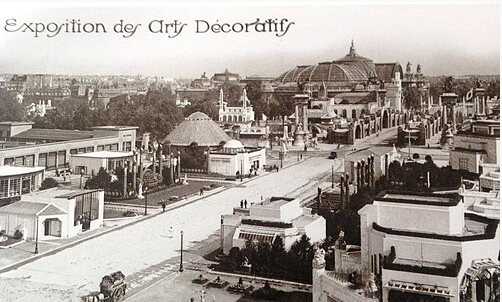
- International Exhibition of Modern Decorative and Industrial Arts (1925)Wikipedia
- Art Deco Typography and Graphic DesignLetterform Archive
- Type in History: Cassandre's Art Deco TypeSessions College
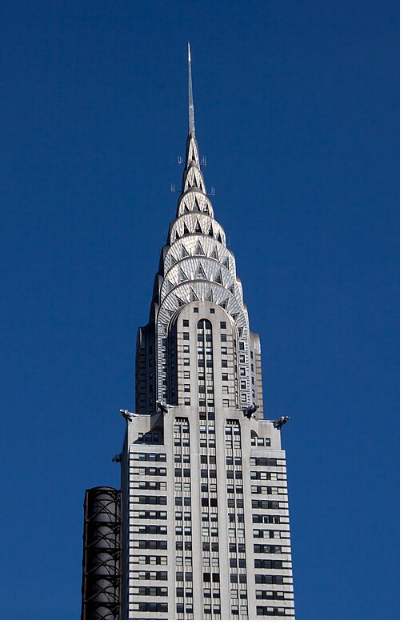
- Chrysler BuildingWikipedia
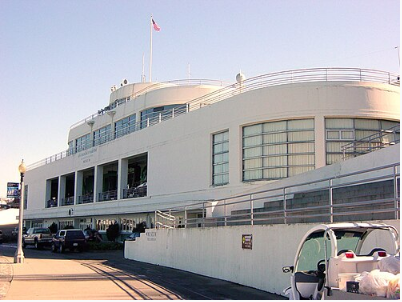
- Streamline ModerneWikipedia
- The Classic Art Deco Color Palette ExplainedAwe Deco
- What Is Art Deco in Graphic Design? A BreakdownDesign Your Way