Glassmorphism
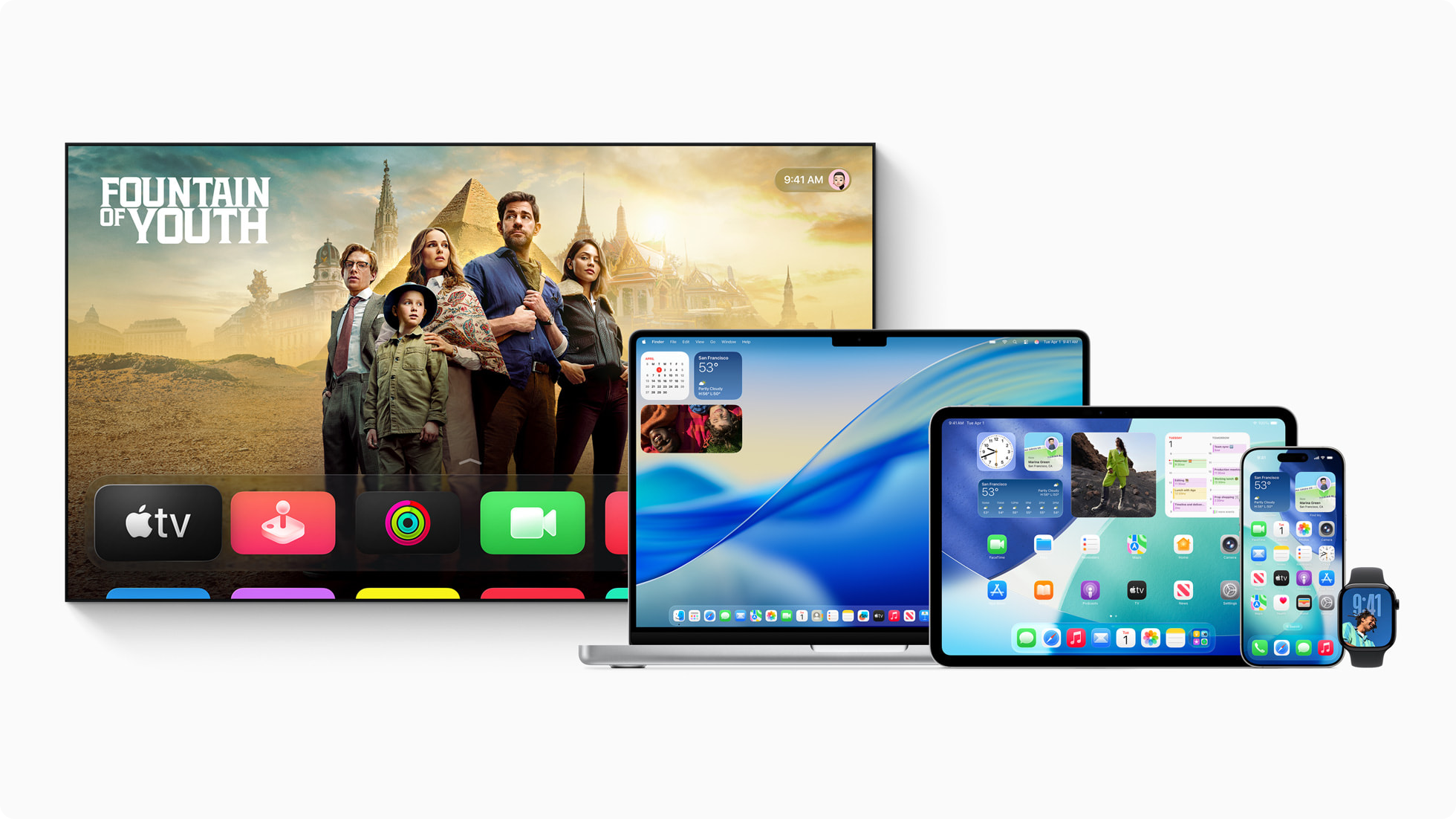
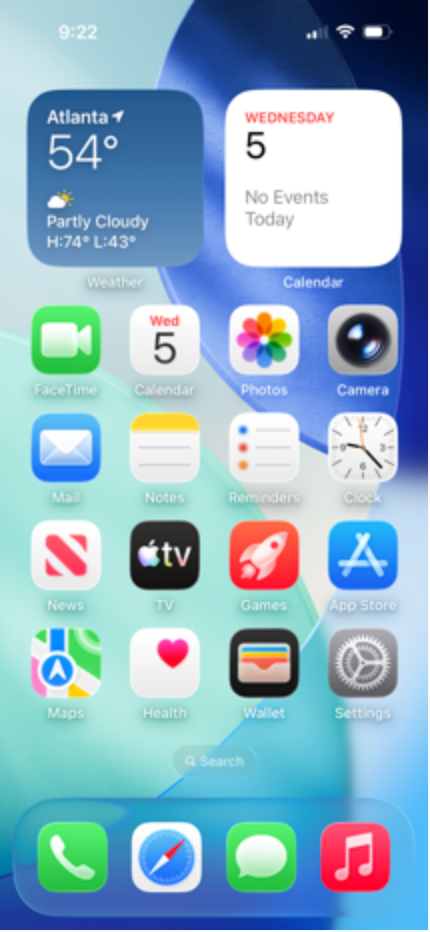
Translucent, blurred panels that float in layers of virtual glass.
Layered blur, saturated color, and a crisp control surface turn glass into a usable media artifact.
Compact glass capsules preserve the map context while separating live status and navigation controls.
Tinted panes, restrained highlights, and opaque data marks keep a dense dashboard readable.
How it works
Color
Typography
Characteristics
Translucency
Panels are semi-transparent, letting background color and shapes show through so the surface reads as glass, not a solid card.
Background blur
A gaussian blur is applied to whatever sits behind the panel, producing the frosted, out-of-focus look.
Layering and depth
Multiple translucent layers stack at different depths to build hierarchy and a sense of three-dimensional space.
Light borders
A thin, often white border at low opacity catches the edge of each pane and separates it from the blur behind.
Vivid or pastel background
The effect needs a colorful, gradient, or photographic background to refract. On a flat or plain ground the glass disappears.
Soft light and shadow
Gentle drop shadows and subtle highlights lift each pane so it floats, without hard edges.
Use it
Figma
The frosted panel (Background Blur)
- Draw the panel, give it a white fill, and lower the fill opacity to about 15 to 25%.
- Round the corners generously, around 16 to 24px.
- Add an effect and choose Background blur (not Layer blur), set to about 16.
- Add a 1px inside stroke in white at roughly 40 to 60% opacity.
Background blur only appears when a colorful layer sits behind the panel, so place it over your gradient or photo.
Soft elevation
- Add a drop shadow with a large Y offset and big blur at low opacity, for example 0 / 20 / 40 at 20% black.
- Optionally add a second, tighter highlight shadow for a glossy edge.
- Keep every shadow soft and low-contrast.
Glass floats, it does not slam. If the shadow looks heavy, cut its opacity.
Legible text on glass
- Behind the text, add a rectangle filled black at 20 to 30% opacity, or raise the panel opacity.
- Set text in white or near-white at Medium weight or heavier.
- Check contrast with a plugin like Contrast for at least 4.5:1.
A subtle tint layer is nearly invisible but rescues readability.
Reusable glass component
- Turn the panel into a Component once it looks right.
- Store blur amount and fill opacity as Variables so the whole set tunes together.
- Build light and dark glass variants for both backgrounds.
Exposing blur and opacity as variables lets you dial the whole UI from one place.
Starting points
- Start with a vivid gradient or photographic background.
- Make panels near-colorless: white or dark at roughly 15 to 25% opacity.
- Apply a background blur of about 10 to 20px to the panel.
Research notes & sources
2006 to present (named 2020)
Operating-system UI (Apple, Microsoft)
Screens & product UI
Frosted Glass UI, Glass UI
Related styles
- Aurora GradientThe colorful field a frosted panel needs to refract; both were named by Malewicz, who recommends pairing them.
- ClaymorphismThe other -morphism from the same naming wave and the same designer: inflated soft solids rather than translucent panes, and combinable with glass.
- Retro-FuturismBoth descend from the Aero and Vista translucency lineage; the chrome revival sits alongside frosted glass.
- SkeuomorphismThe realism tradition glass descends from, where interface surfaces imitate real-world materials.
- Material DesignA contemporary system that also builds depth, but through opaque elevation and shadow instead of translucency.
- Brutalism (web)The polished, decorative, illusionistic opposite of brutalism's raw, honest, anti-design stance.
- Organic ModernCool, digital, and translucent versus warm, tactile, and analog: two opposite answers to what comes after flat design.
- Glassmorphism: Definition and Best PracticesNielsen Norman Group
- What Is Glassmorphism?Interaction Design Foundation
- What is GlassmorphismUX Planet
- GlassmorphismAesthetics Wiki
- What is Glassmorphism: Principles, Practices & ExamplesRamotion
- Glassmorphism Meets Accessibility: Can Frosted Glass Be Inclusive?Axess Lab
- Glassmorphism in 2025: How Apple's Liquid Glass is reshaping interface designEverydayUX
- Apple introduces a delightful and elegant new software designApple Newsroom
- Liquid GlassWikipedia